OPEN-SOURCE · KVM OVER USB

Control a headless
machine from your
laptop. No install.

A pocket-sized KVM-over-USB dongle for onsite engineers. Plug it into any server, open a web page, and you have full keyboard, video & mouse — all in your browser.
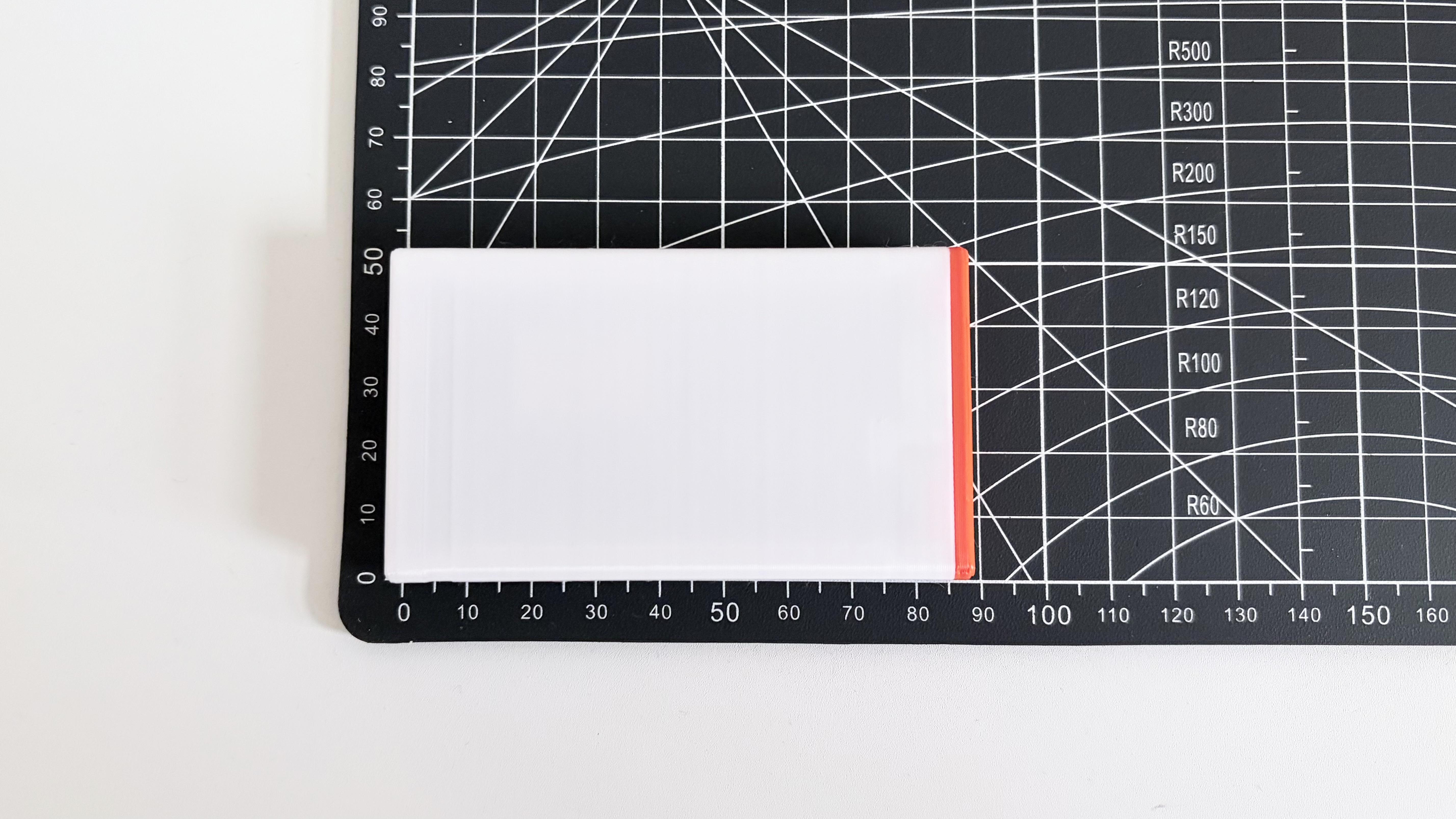
84 × 53 × 18 mm
< $20 to build
No drivers
GPLv3
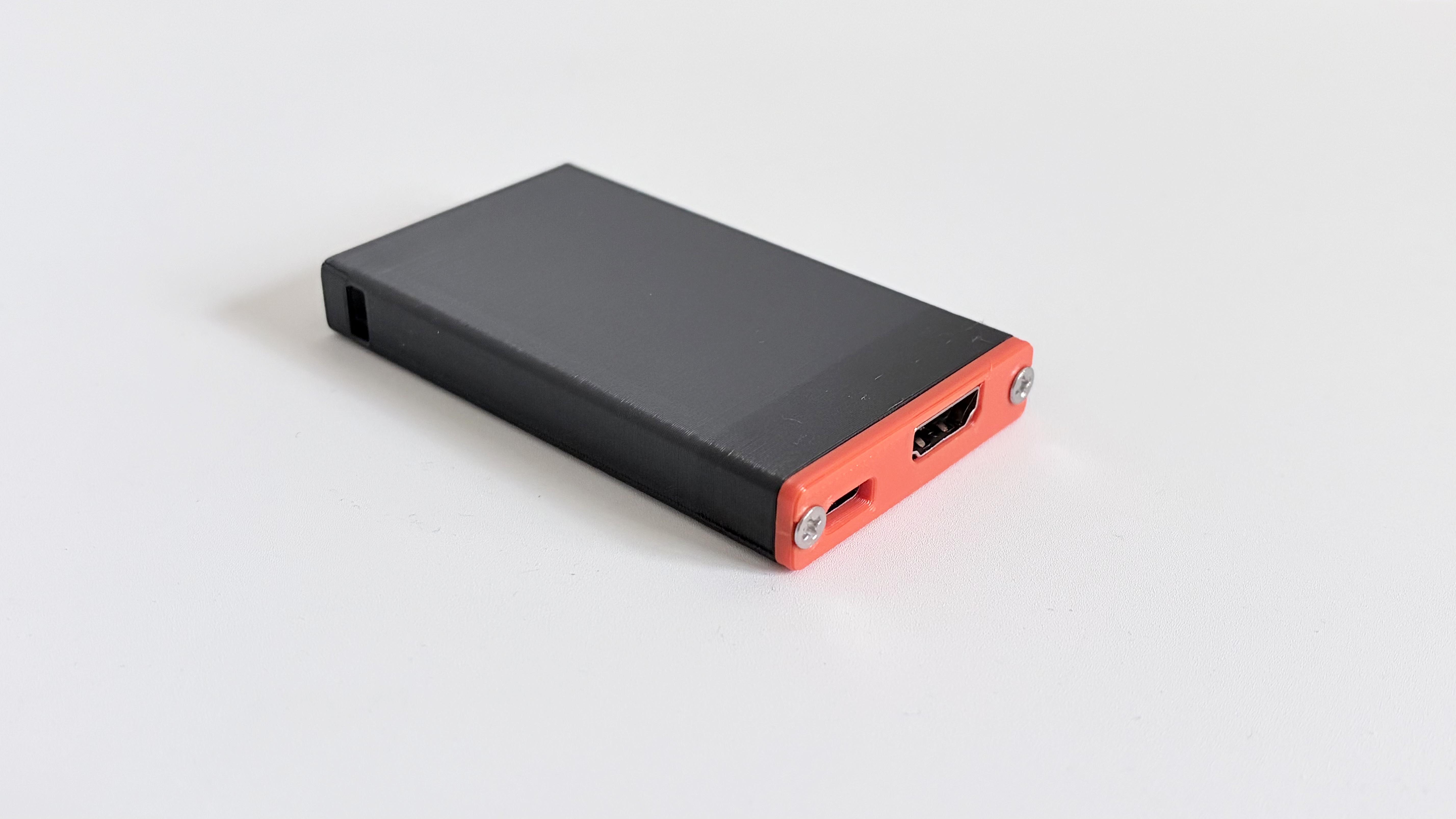
DezKVM-Go device showing HDMI and USB-C ports on the red end cap
remote side · HDMI + USB-C
◆ Live video & audio ◆ Paste-box HID injection ◆ Copy via OCR ◆ On-screen keyboard ◆ Screen recorder ◆ Hotkeys & macros
// 01

Three plugs and a browser

01

Plug into your laptop

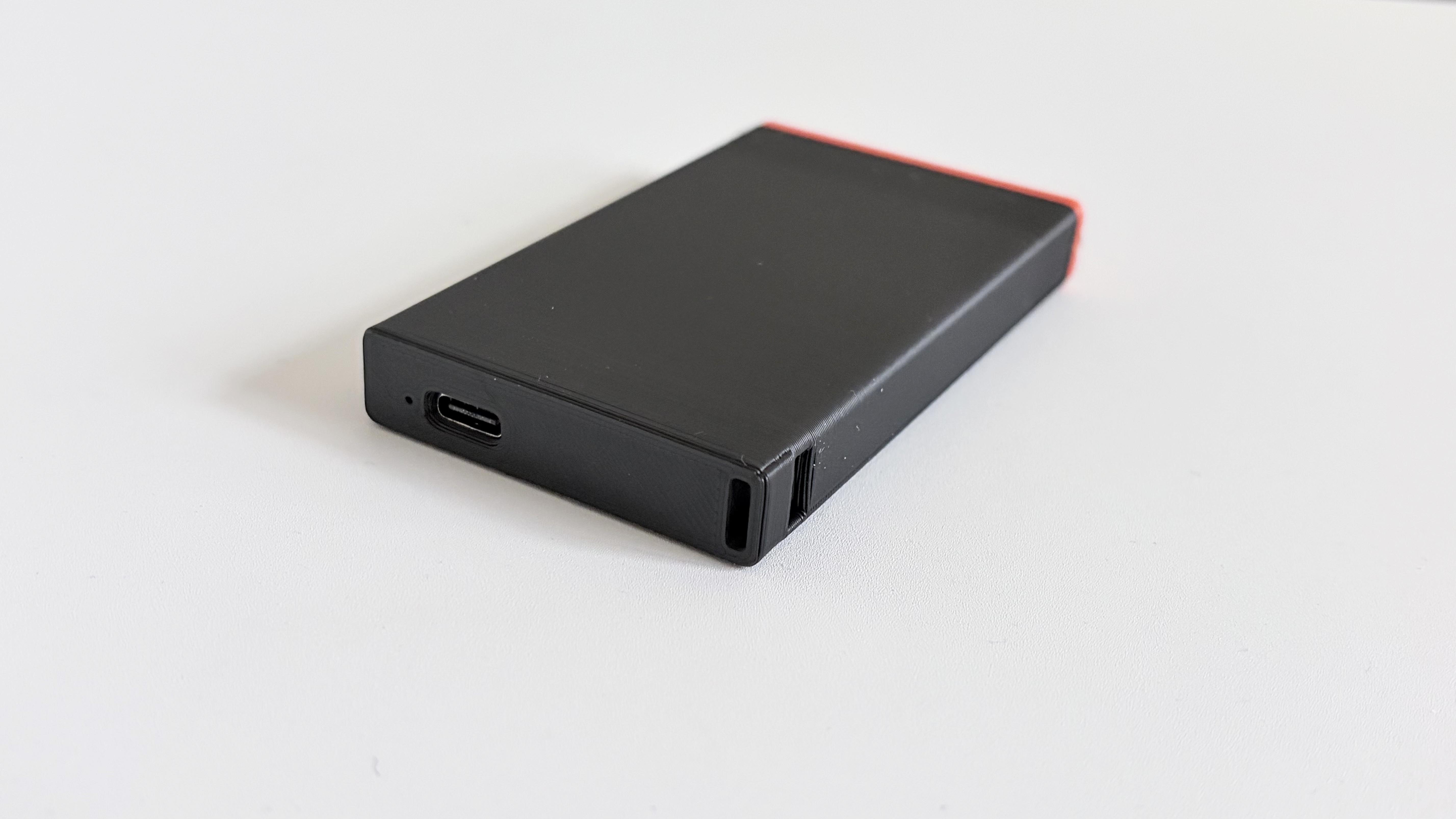
Connect the host-side USB-C (the white/black edge) to your laptop with any Type-C cable. It powers up instantly — no driver, no app.

02

Plug into the target

Connect the remote-side USB + HDMI (the orange edge) to the headless server or PC you want to control. Video and HID are captured on-device.

03

Open the web viewer

Visit the hosted control panel or run the local server at localhost:8443 in any Chromium browser with Web-Serial. Done.

// 02

A full KVM, entirely in the browser

The viewer is vanilla JavaScript — open-source and self-hostable. Nothing to install on the host machine, nothing to install on the target.
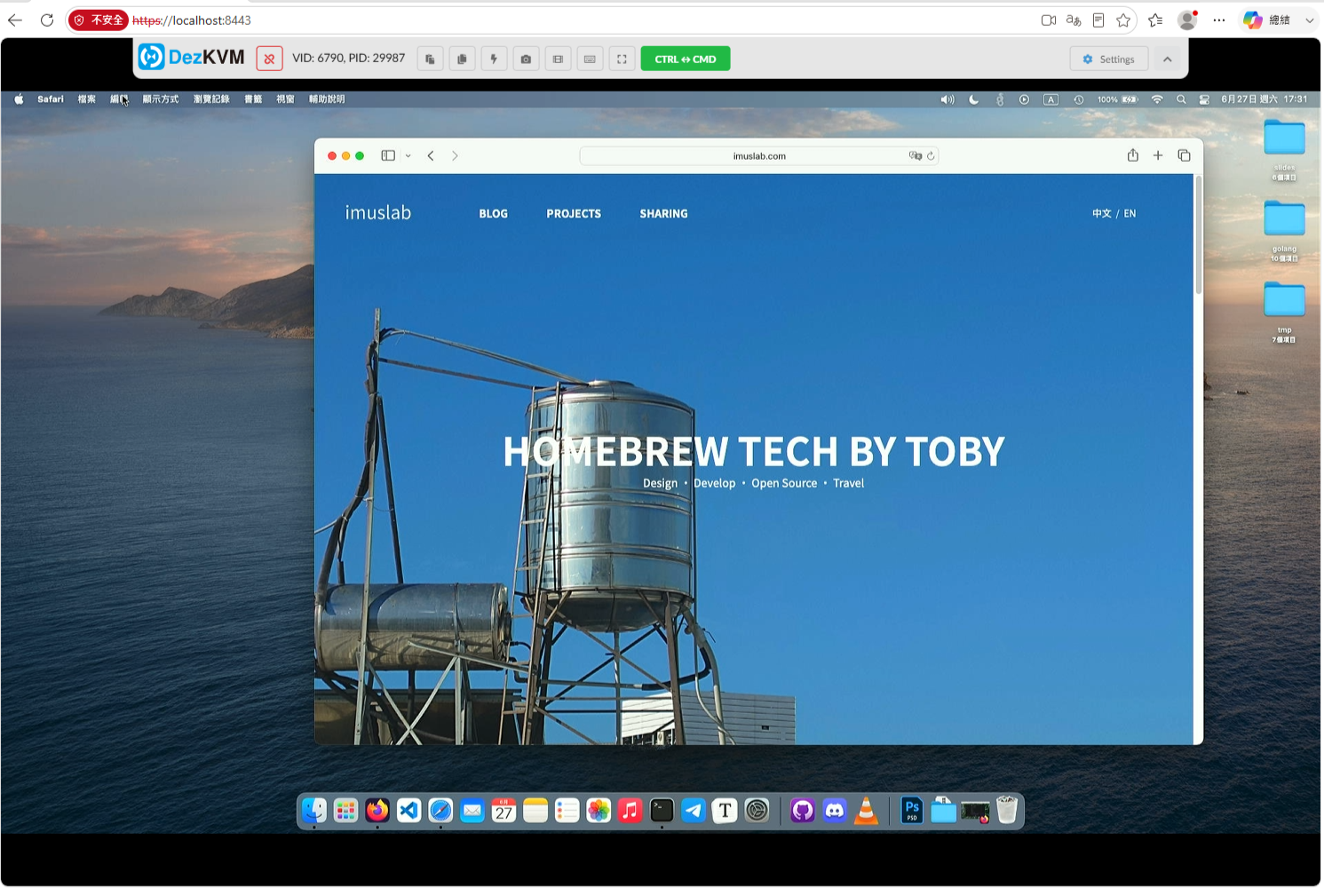
DezKVM viewer · live feed
DezKVM web viewer showing a live macOS desktop
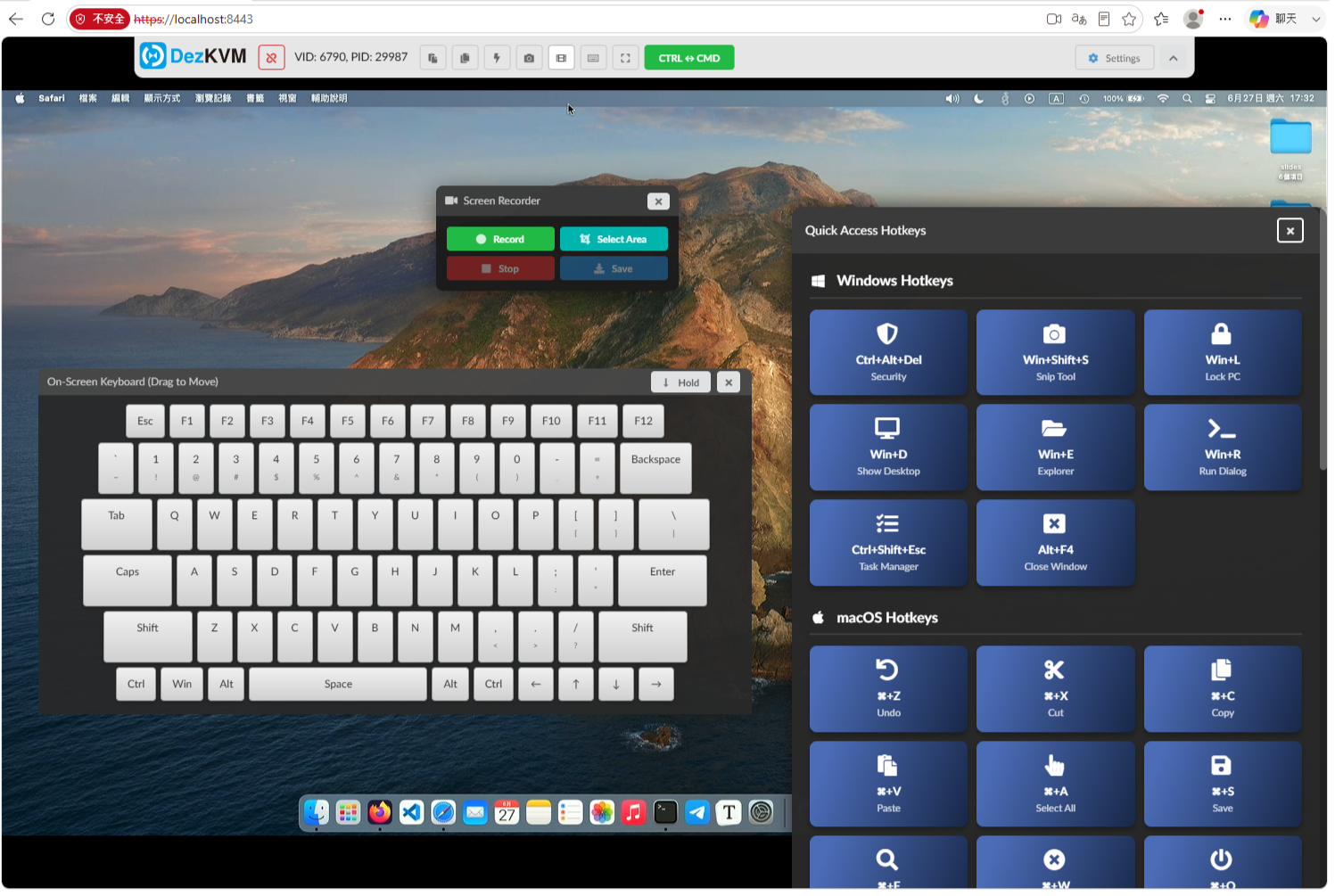
on-screen keyboard · hotkeys
DezKVM on-screen keyboard, screen recorder and quick-access hotkeys
Live video & audio
Real-time feed with WebGL image sharpening for terminal sessions.
Paste box
Push text from host to target via automatic virtual-keyboard HID events.
Copy via OCR
Pull text off the remote screen — image-to-text straight back to your clipboard.
On-screen keyboard
Draggable full keyboard with a hold mode for stubborn key combos.
Hotkeys & macros
Ctrl+Alt+Del, Win/⌘ shortcuts and custom macros at one click.
Screenshots
Grab a still of the remote display any time.
Screen recorder
Record the full screen or just a selected area.
Key stacking
Pi-KVM-style magic-key sequencing for boot-time interrupts.
ADVANCED SETTINGS
Invert scroll direction Absolute / relative mouse Mouse jiggler WebGL image sharpening Audio gain control CH9329 · 9600 & 115200 baud
// 03

Technical specifications

Dimensions84 × 53 × 18 mm
Build cost≈ $20 USD per unit
Video captureMS2109 / MS2109S HDMI
HID controllerCH9329 (9600 / 115200)
Host interfaceUSB-C · Web-Serial API
Target interfaceUSB + HDMI
Downstream USB1 × exposed (PCB rev2)
PowerUSB bus-powered
Enclosure3D-printed · M3 × 10 × 2
LicenseSW: GPLv3 · HW: CC BY-NC-ND
GEN 1MS2109

Original build using the classic MS2109 HDMI capture card.

GEN 2MS2109S

Bare-PCB capture card for the newer MS2109S supply, with an extra printed part.

GEN 3MS2109S + PCB rev2LATEST

Redesigned rev2 board — more compact, common-package parts, and an exposed downstream USB port for hacking.

// 04

Build it yourself

Fully open hardware. Order the PCB, drop in a cheap capture card, print the case, and you're done in an afternoon.
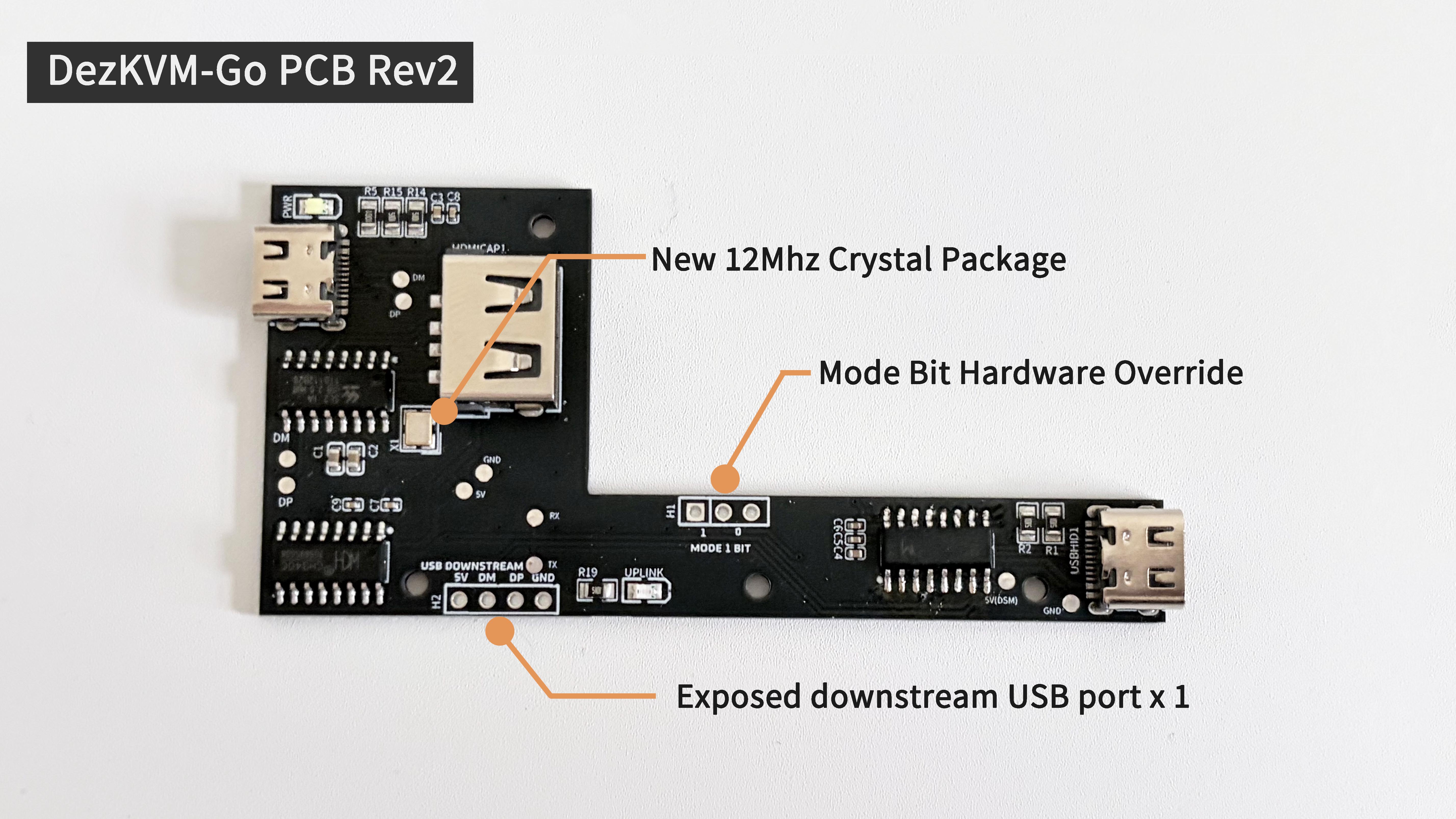
DezKVM-Go PCB rev2 annotated: 12MHz crystal, mode-bit override, exposed downstream USB
BILL OF MATERIALS
DezKVM-Go PCB (rev2)
MS2109 / MS2109S capture card (~$7–9)
3D-printed case (STL included)
M3 × 10 screws × 2
2 × USB-C cable + 1 × HDMI cable
PCB files & ordering guide ↗
DezKVM-Go on a cutting mat, ~84mm long
Genuinely pocket-sized
At 84 mm the whole unit fits on a cutting mat ruler — slip it in a service bag and forget it's there.
DezKVM-Go host-side USB-C port
Colour-coded edges
Black edge to your laptop, orange edge to the target. No labels to read in a dark rack.
READY TO USE

Buy a built unit

Skip the soldering. Hand-assembled DezKVM-Go devices, ready to plug in — limited availability on the Tindie store.

Order on Tindie →
DO IT YOURSELF

Clone the repo

All sources, PCB design, 3D models and the web viewer are on GitHub. Free forever under GPLv3 & CC BY-NC-ND.

View on GitHub ↗